
Zevo Adisyon
Your restaurant's till, waiters and kitchen in one program, working offline.
Description
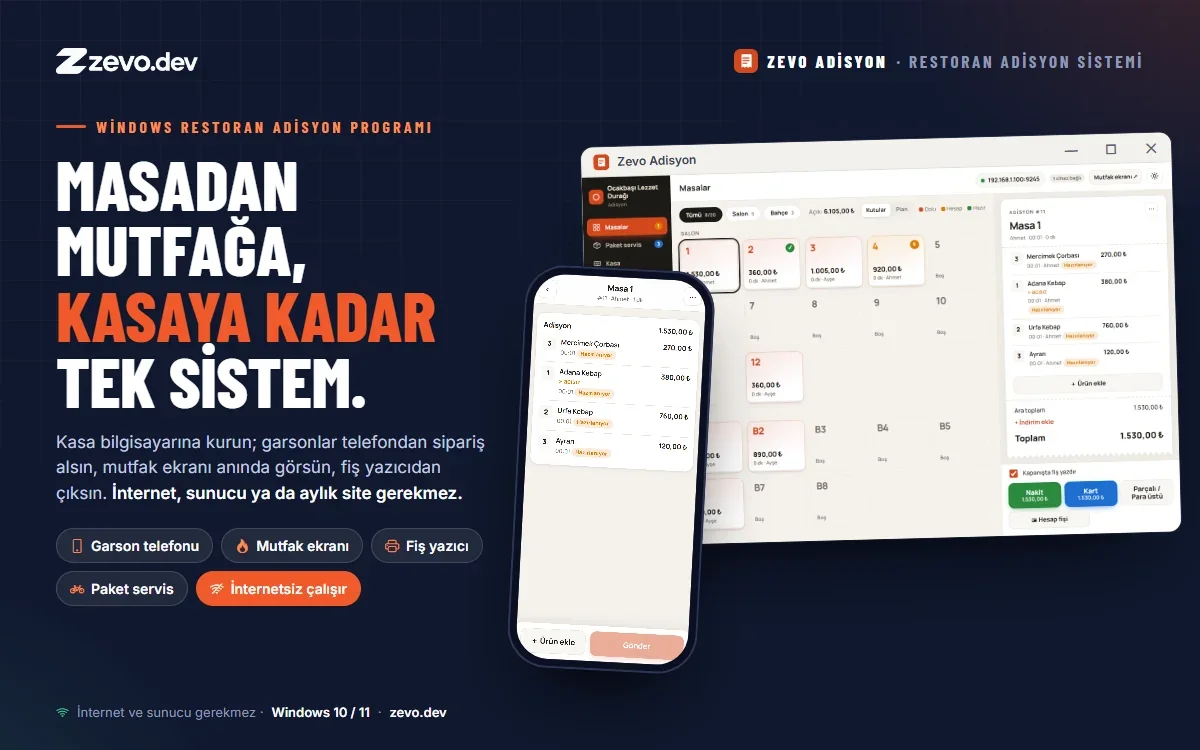
Zevo Adisyon is a point-of-sale and order management program for restaurants, cafes and bakeries that installs on a Windows PC. Install it once on the cashier computer: waiters take orders on their own phones, orders appear instantly at the till and on the kitchen screen, and receipts come out of the printer. No internet, server, website or monthly fee required.
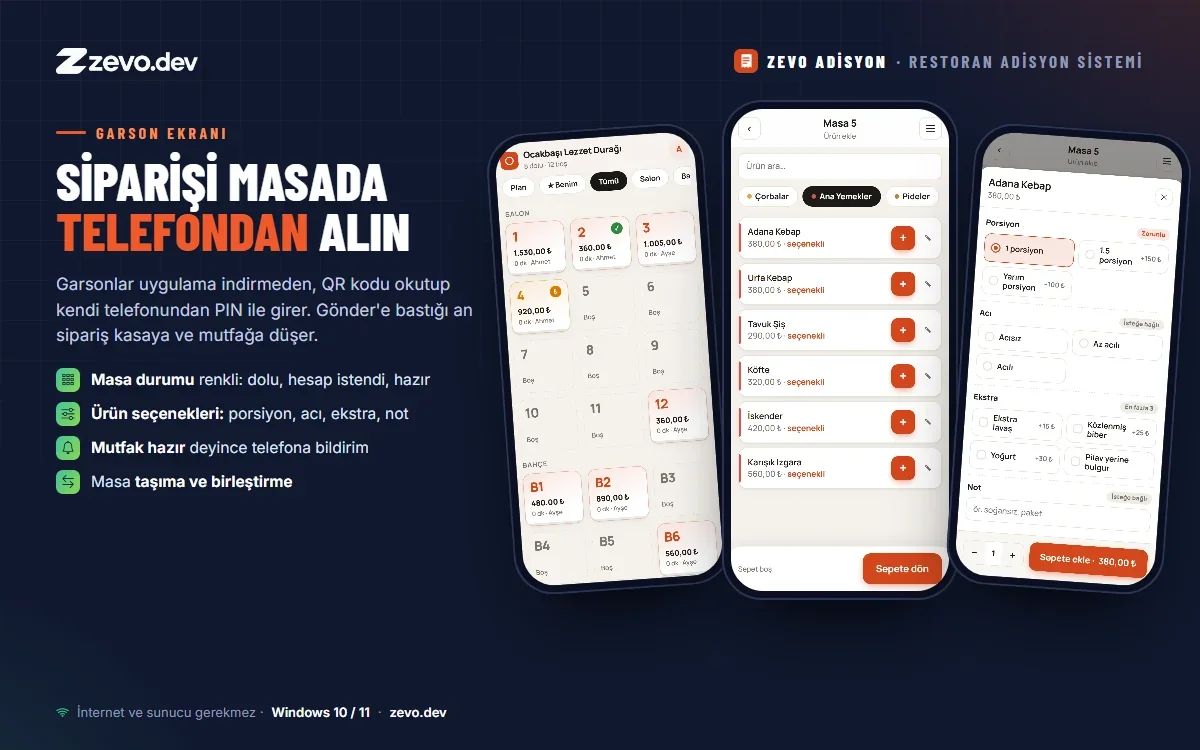
Orders from the waiter's phone
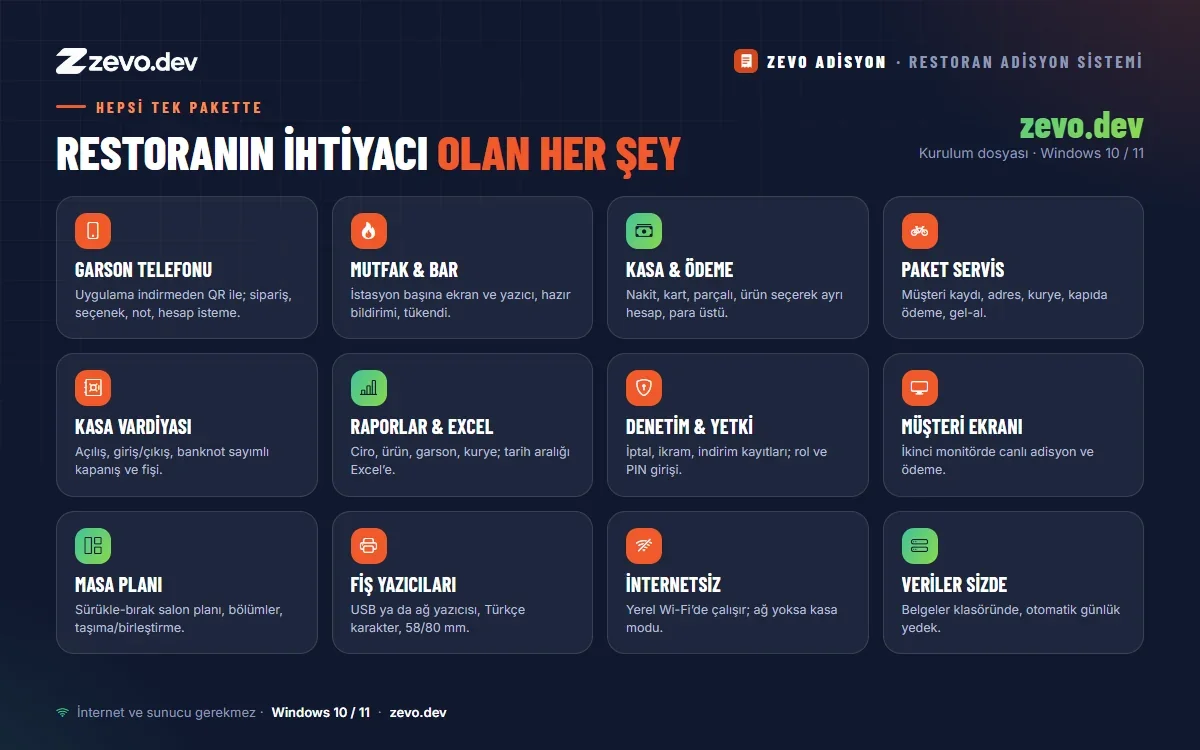
- No app to install: waiters scan a QR code and sign in with their PIN
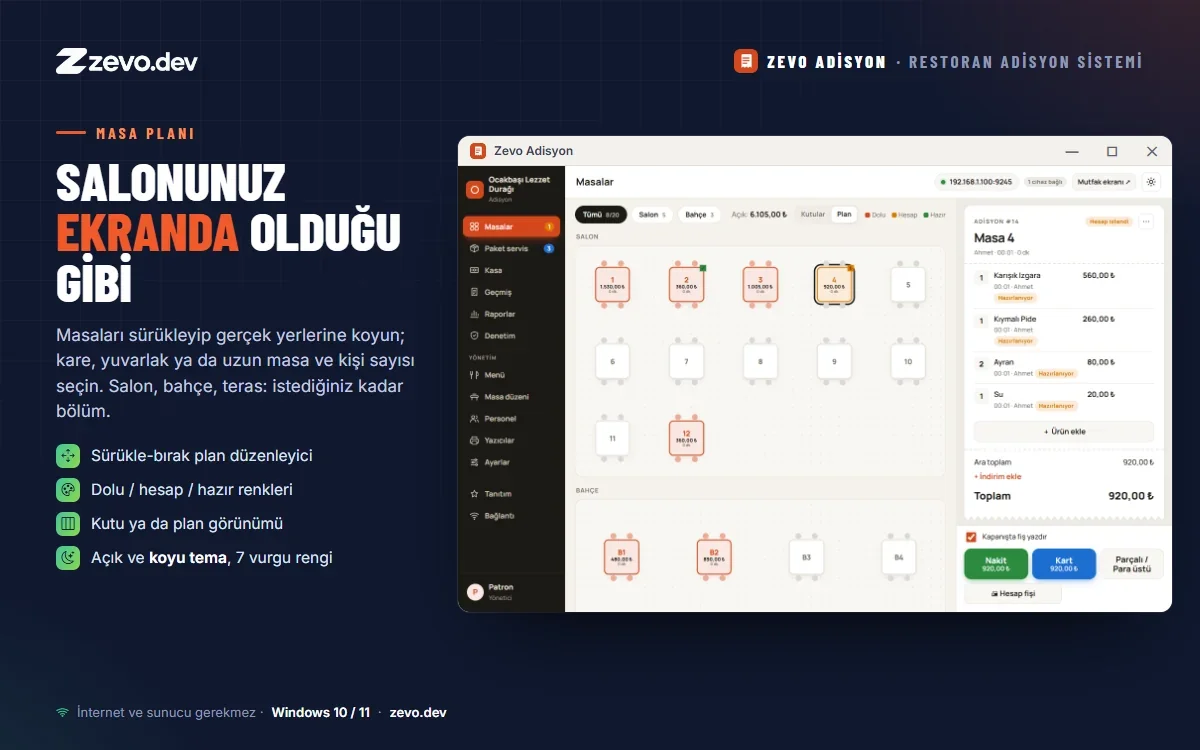
- Colour-coded tables: occupied, bill requested, ready
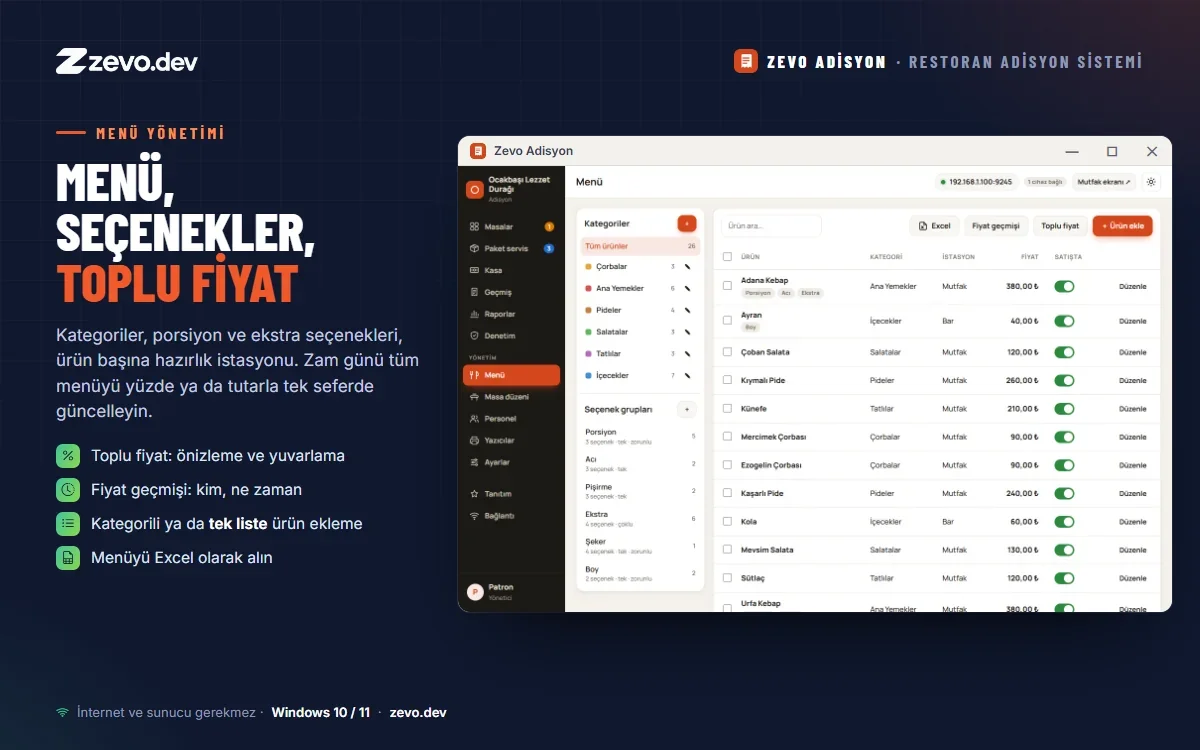
- Product options: portion, spice level, extras, notes
- Move and merge tables; notification when the kitchen marks an order ready
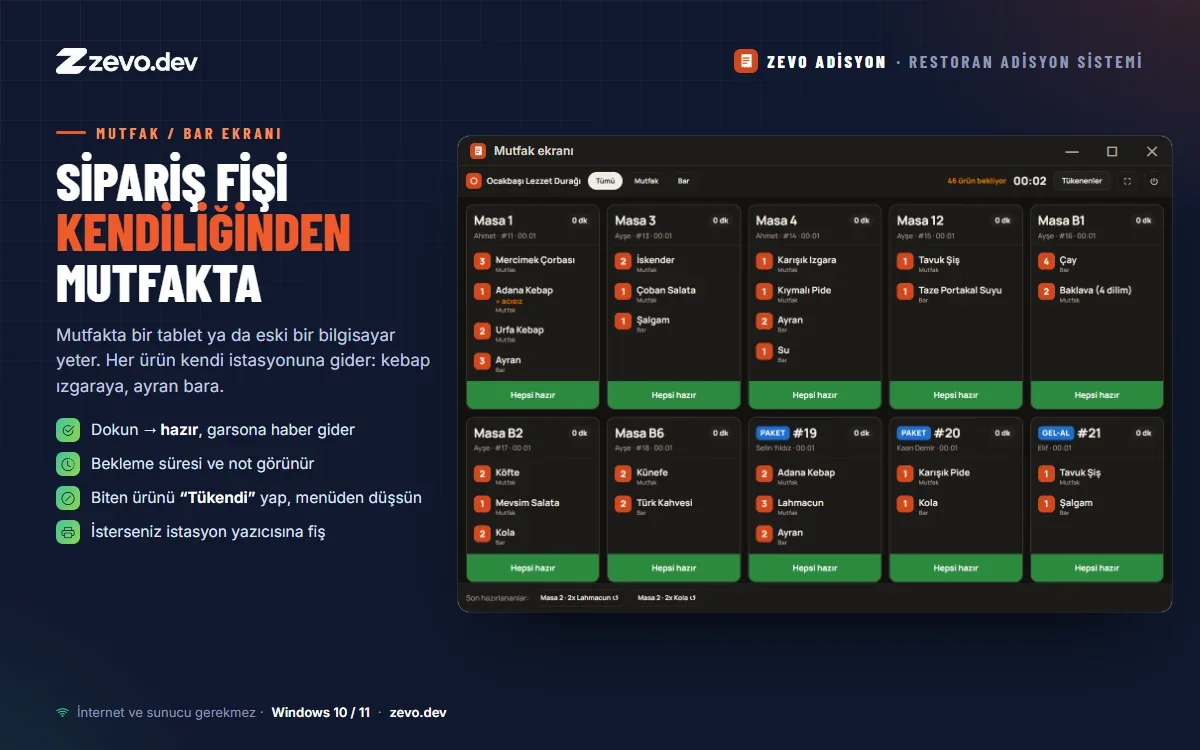
Kitchen and bar screen
A tablet or an old computer in the kitchen is enough. Each item goes to its own station. Tap to mark it ready and the waiter is notified. Mark an item "sold out" and it disappears from the waiter menu instantly. Each station can have its own receipt printer.
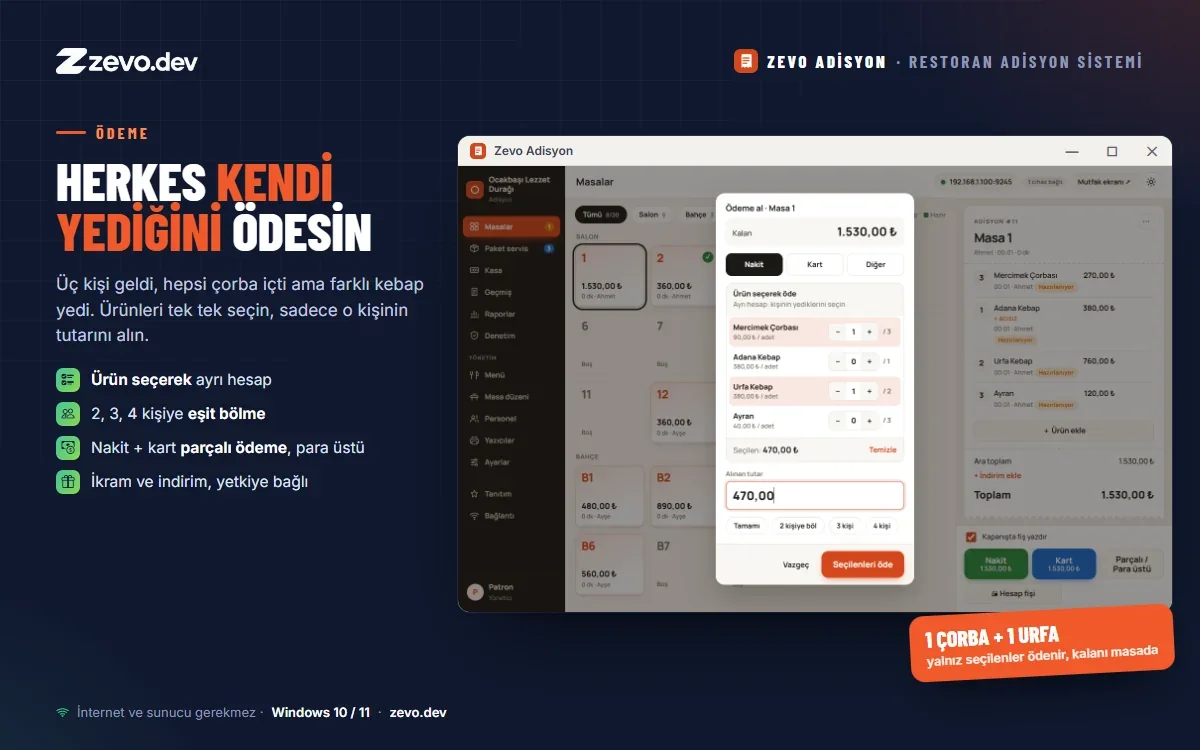
Till, payments and split bills
- Cash, card, split payments and change calculation
- Split by item: everyone pays for what they ate
- Equal split between 2, 3 or 4 people; complimentary items and discounts by permission
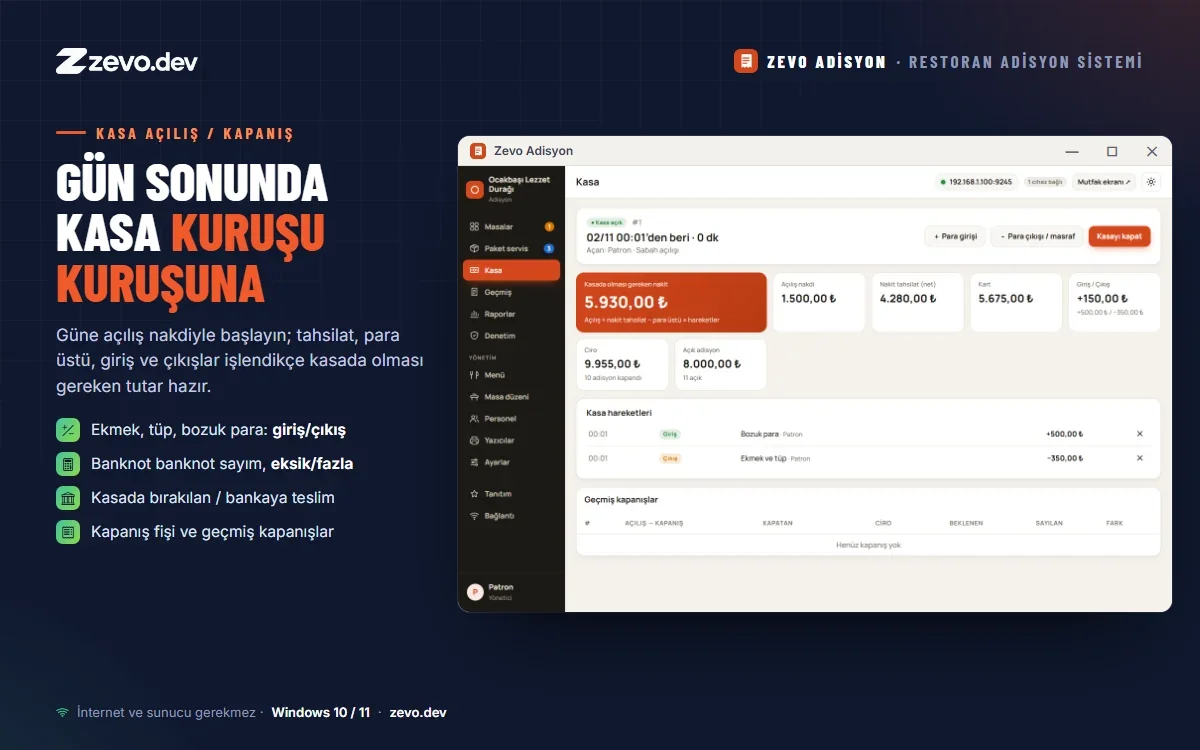
- Cash register opening / closing, cash in-out, end-of-day count by banknote
Delivery and takeaway
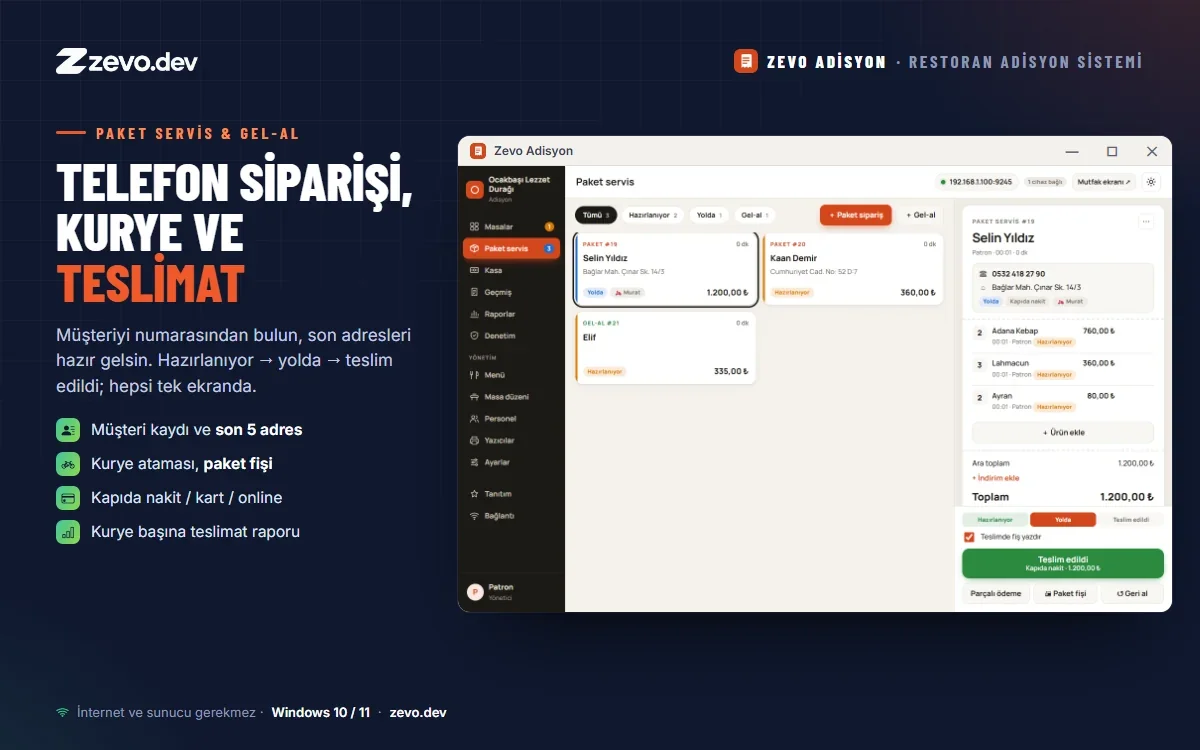
Find the customer by phone number with their last addresses ready. Preparing, on the way, delivered; courier assignment, delivery slip and cash / card / online payment on one screen.
Reports, Excel and audit
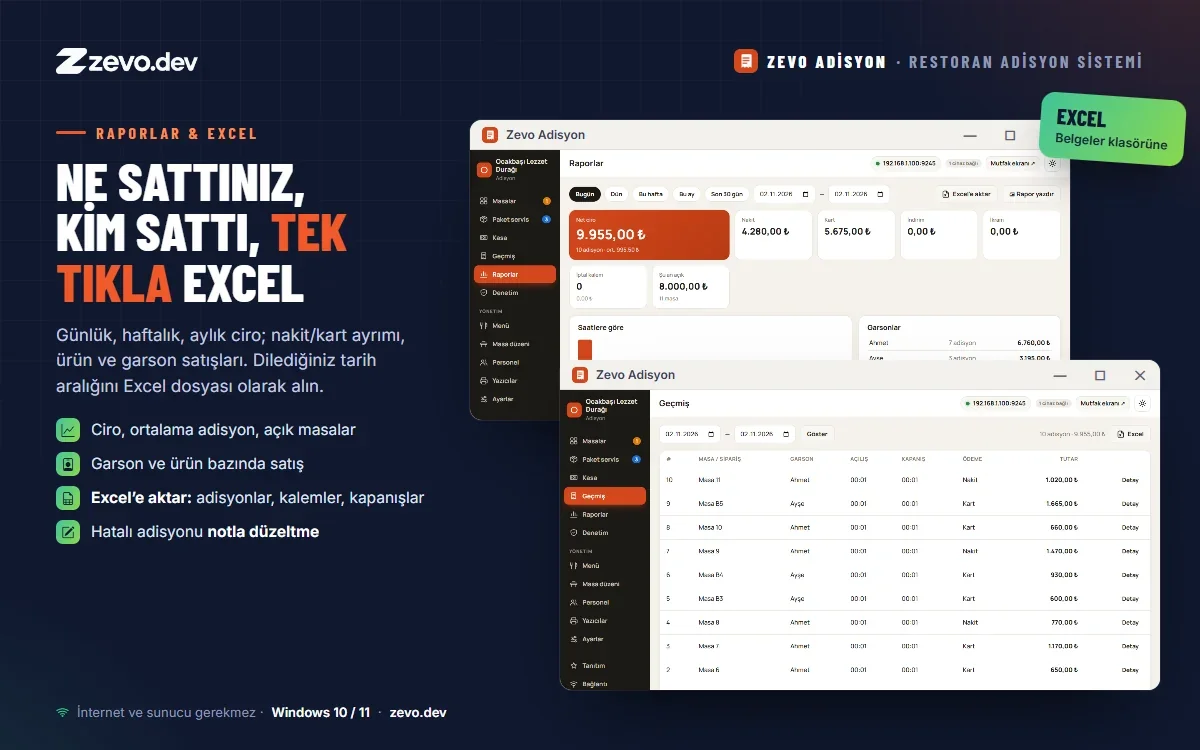
- Daily, weekly and monthly revenue by payment method, product, waiter and courier
- Export any date range to Excel with one click
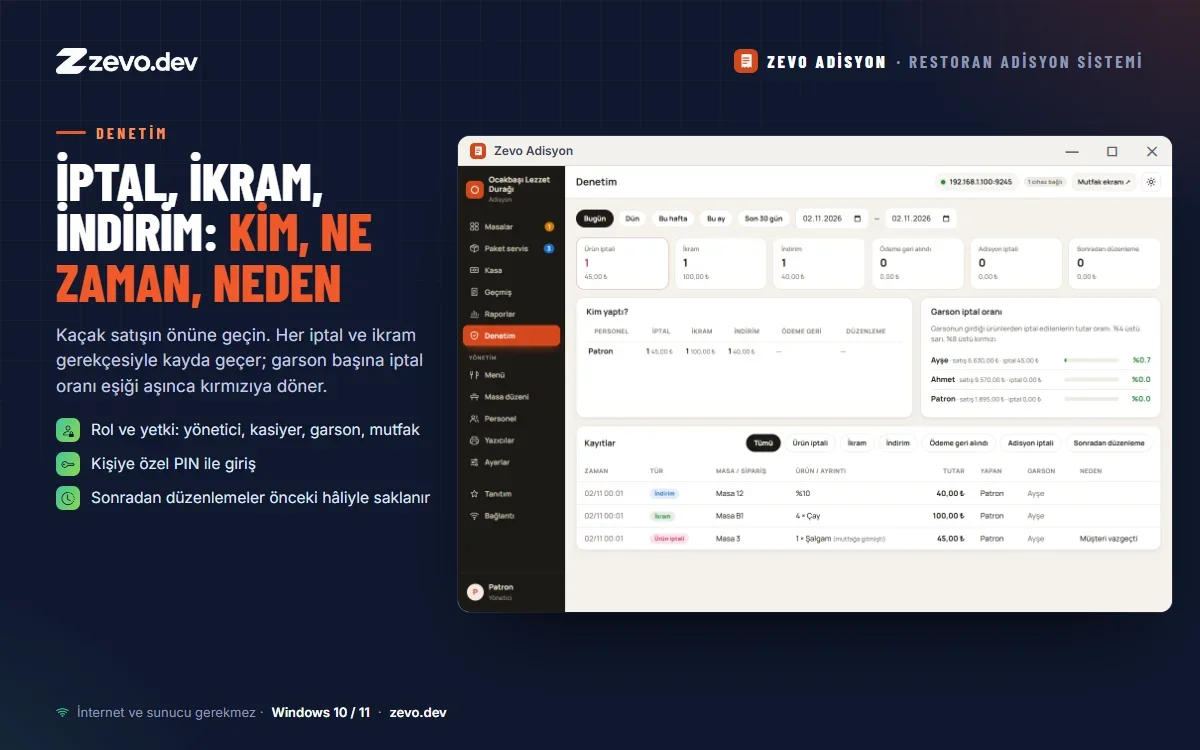
- Cancellation, complimentary and discount log: who, when, why
- Correct a closed bill with a note; the previous version is kept
Floor plan and customer display
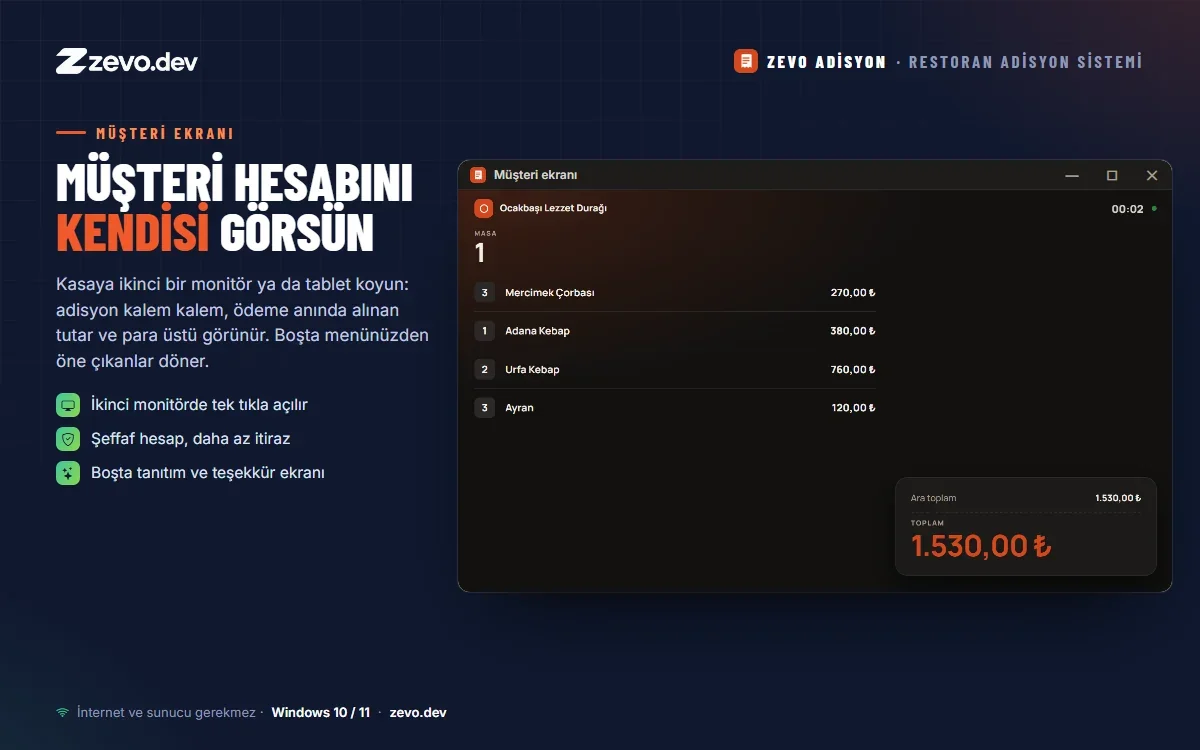
Drag tables to their real places and create as many areas as you need. Add a second monitor or tablet at the till and customers see their bill, the amount due and their change.
Printers
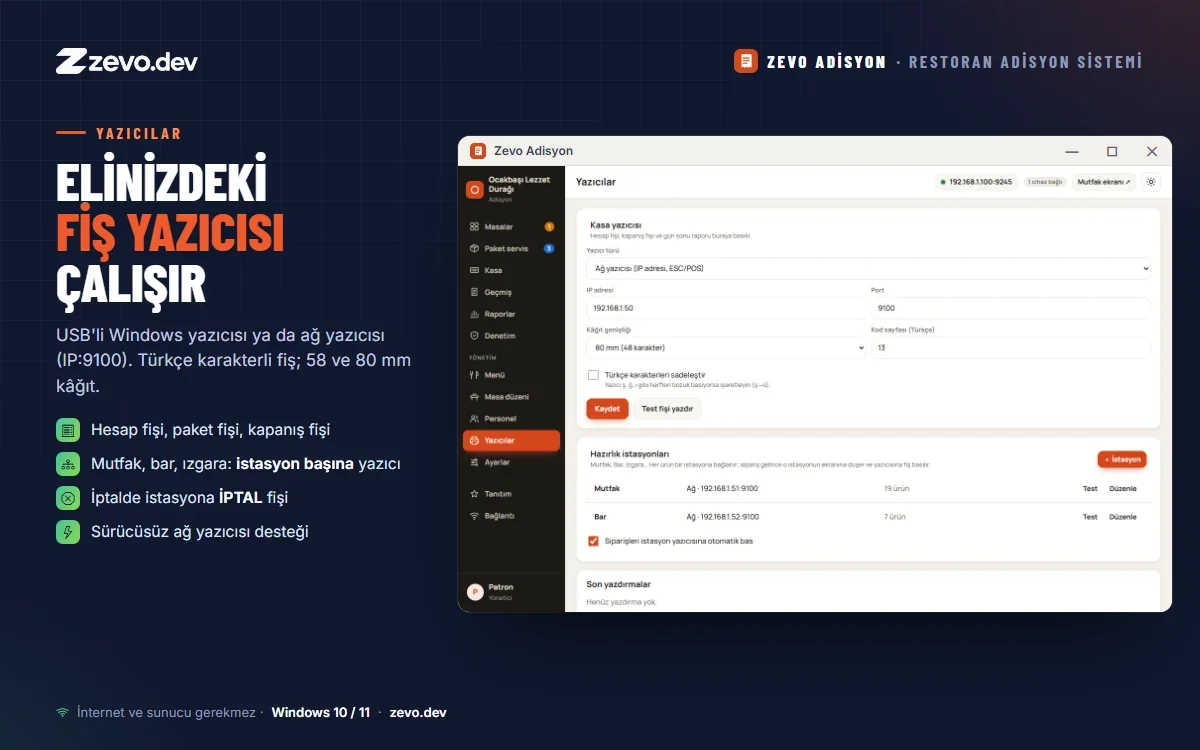
Supports USB Windows printers and network printers (ESC/POS, IP:9100), with Turkish characters on 58 and 80 mm paper.
Works offline, your data stays with you
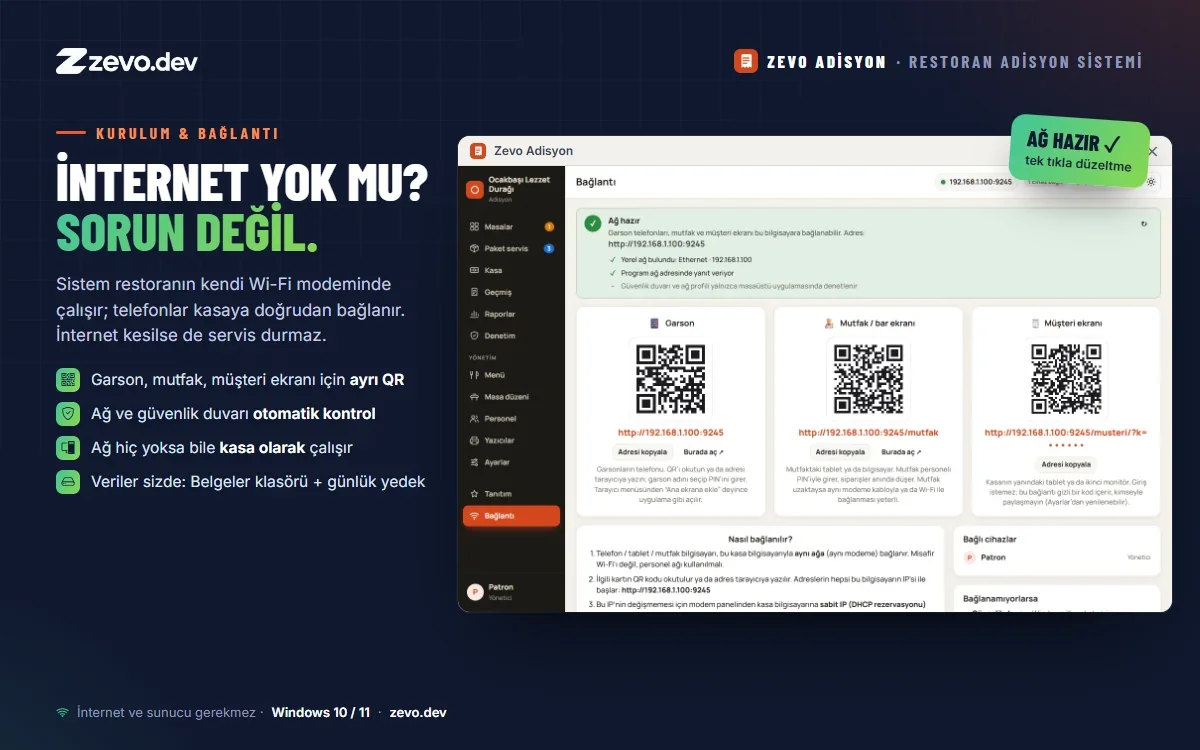
The system runs on the restaurant's own Wi-Fi router, so service continues even when the internet is down. Network and firewall are checked automatically during setup; with no network at all the program still works fully as a till. Data is kept in the computer's Documents folder and backed up automatically every day.
Features
- Orders from the waiter's phone (no app, via QR)
- Kitchen / bar screen with ready notifications
- Product options: portion, spice, extras, notes
- Cash, card, split payments and change
- Split bill by item or per person
- Delivery and takeaway with courier tracking
- Cash register opening / closing with banknote count
- Reports and Excel export
- Cancellation, complimentary and discount audit
- Drag-and-drop floor plan
- Customer display (second monitor)
- USB and network receipt printers (ESC/POS)
- Works offline, data stays on your computer
- Light / dark theme
FAQ
Reviews
No reviews yet. Be the first to write one.
Write a review
Sign in to write a review. Sign in